


Redeem Your In-Game Vehicle
Redeem your virtual game collectibles in our virtual worlds using the code in the box!
Redeem Your Collectible Vehicle in Singverse
Follow these steps exactly to redeem your code and spawn your bus in-game.
Open Singverse
Launch Roblox and open Singverse.
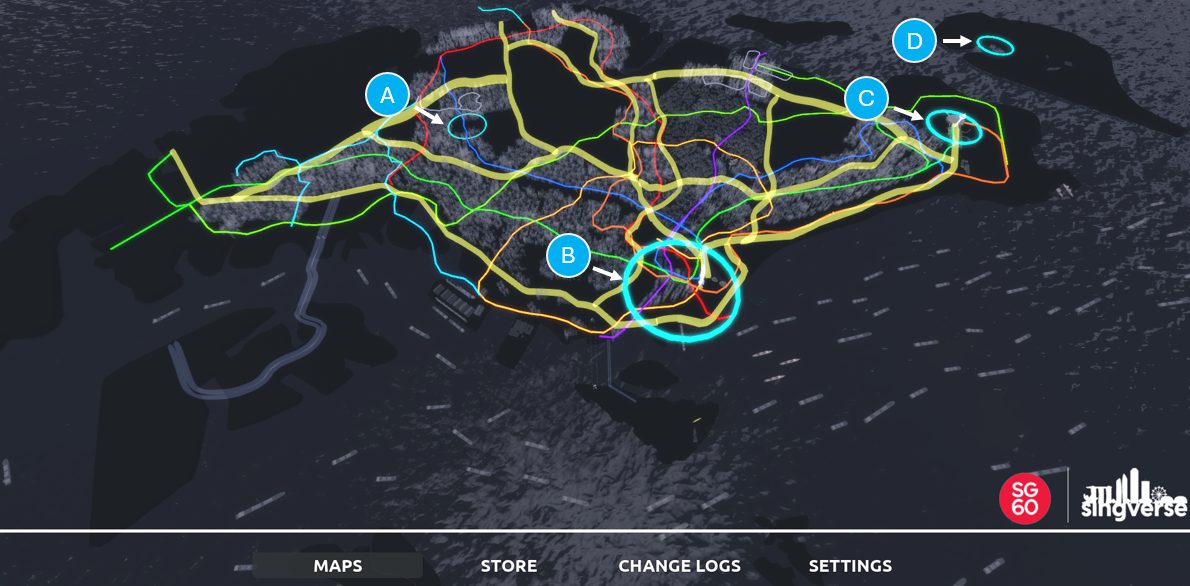
Enter the game world
Click on any of the blue circles (A, B, C or D) on the map to enter Singverse.
Enter your code
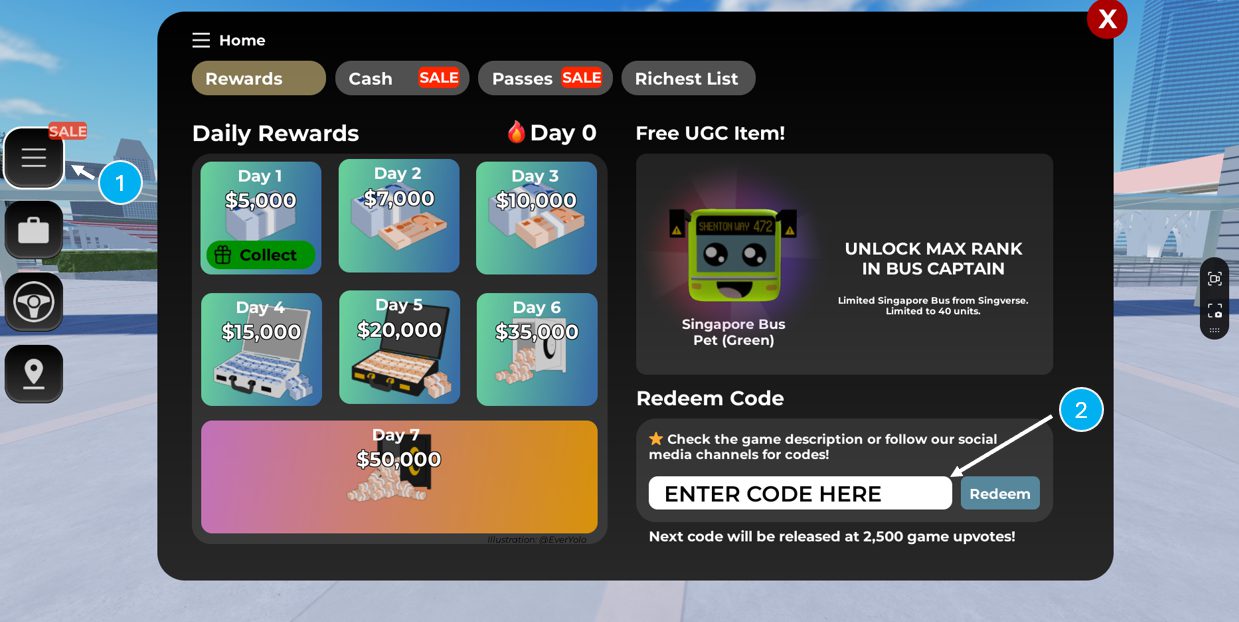
Click the Three Bars icon (≡) from the left-side panel (see '1') to open the menu, then input the code from your redemption card under the 'Redeem Code' section (see '2').
Only 1 redemption is permitted per code. Each code can only be used once.
Spawn your bus
Click the Wheel icon from the left-side panel and click 'Spawn' to spawn your collectible vehicle and drive it around Singverse.
Code not working?
Redemption only for official collectible pieces made by our partners for use in Singverse. If you face issues during redemption, contact us via the form below.
Check your code
Codes are case-sensitive. Enter capital letters, numbers and dashes exactly as printed on the redemption card.
One use only
Each code can only be redeemed once. If it has already been used it will not work again.
Still stuck?
Use our contact form and include your toy's serial number — we'll help you sort it out.